In high-frequency or complex algorithmic trading, calculating trading indicators on the fly can quickly become a computational bottleneck. More importantly, if your strategy transitions from historical backtesting to live execution, managing how indicators hold, update, and persist their internal calculation states is critical. If state management is handled poorly, it can lead to state drift, memory leaks, or execution latency.
This article explores the technical architecture of indicator state persistence and demonstrates how to implement a clean state-storage pattern using NinjaTrader 8 (NT8) and C#.
1. The Importance of Explicit State Management
When a trading platform executes a strategy, it processes a stream of incoming market data. For historical bars, the data is static. However, during live execution, bars are dynamic and unclosed. This creates an architectural challenge for indicators: How do you keep track of an indicator’s historical values while updating its real-time value on every incoming tick without corrupting historical data?
Platforms like NinjaTrader 8 handle this under the hood via a data structures pattern called a historical data series wrapper. NinjaTrader automatically manages series allocation across bars, but if your strategy requires tracking complex, multi-bar states (such as a counter of consecutive higher closes, a trailing peak variable, or machine learning feature arrays), you must manage those states explicitly to prevent historical state corruption.
2. Platform-Specific Design Principles in NinjaTrader 8
NinjaTrader 8 utilizes an event-driven architecture written in C#. To store indicator states cleanly for strategy access, you need to align with its execution lifecycle:
State.Configure: Used to define your indicator parameters and optimize memory allocations.State.DataLoaded: Used to initialize historical data series arrays and custom state collections.OnBarUpdate(): The primary execution loop called every time a bar updates (historical or real-time) or on every incoming tick depending on yourCalculatesettings.
The most critical nuance in NT8 state preservation is handling the difference between committed historical bars and the current real-time tick. If your indicator changes an internal variable on a live tick, and that tick isn’t the final close of the bar, you must revert or handle that state change appropriately so that it doesn’t leak into your historical state logic. Fortunately, NT8 provides the IsFirstTickOfBar flag and localized series storage to mitigate this.
3. Implementation: Custom Indicator Storing States in NT8
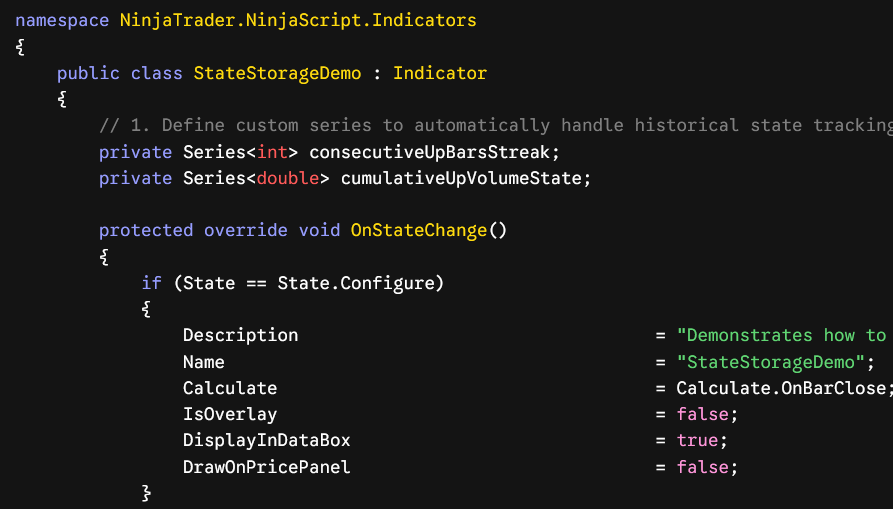
Below is a complete, production-grade NinjaTrader 8 indicator written in C#. This indicator explicitly tracks a complex state: the cumulative volume transacted exclusively during a streak of consecutive “Up” bars. It exposes this state cleanly so that any parent NT8 strategy can access it instantly.
C#
using System;
using System.Collections.Generic;
using System.ComponentModel;
using System.ComponentModel.DataAnnotations;
using System.Linq;
using System.Text;
using System.Threading.Tasks;
using System.Windows.Media;
using NinjaTrader.CBI;
using NinjaTrader.Gui;
using NinjaTrader.Gui.Chart;
using NinjaTrader.NinjaScript;
using NinjaTrader.Data;
using NinjaTrader.NinjaScript.DrawingTools;

namespace NinjaTrader.NinjaScript.Indicators
{
    public class StateStorageDemo : Indicator
    {
        // 1. Define custom series to automatically handle historical state tracking
        private Series<int> consecutiveUpBarsStreak;
        private Series<double> cumulativeUpVolumeState;

        protected override void OnStateChange()
        {
            if (State == State.Configure)
            {
                Description                                  = "Demonstrates how to safely store and expose indicator states for strategy access.";
                Name                                         = "StateStorageDemo";
                Calculate                                    = Calculate.OnBarClose; // Avoids mid-tick state pollution
                IsOverlay                                    = false;
                DisplayInDataBox                             = true;
                DrawOnPricePanel                             = false;
            }
            else if (State == State.DataLoaded)
            {
                // 2. Initialize Series containers. NT8 syncs these with historical bar indices.
                consecutiveUpBarsStreak = new Series<int>(this);
                cumulativeUpVolumeState = new Series<double>(this);
            }
        }

        protected override void OnBarUpdate()
        {
            // Ensure we have enough bars to compare current bar to the prior bar
            if (CurrentBar < 1)
            {
                consecutiveUpBarsStreak[0] = 0;
                cumulativeUpVolumeState[0] = 0.0;
                return;
            }

            // 3. State update logic based strictly on the completion of the prior state
            if (Close[0] > Close[1])
            {
                // If the streak continues, increment previous bar's state by 1
                consecutiveUpBarsStreak[0] = consecutiveUpBarsStreak[1] + 1;
                // Add current bar's volume to the rolling volume state
                cumulativeUpVolumeState[0] = cumulativeUpVolumeState[1] + Volume[0];
            }
            else
            {
                // If trend breaks, reset state storage tracking for this index
                consecutiveUpBarsStreak[0] = 0;
                cumulativeUpVolumeState[0] = 0.0;
            }
        }

        #region Properties Exposed for Strategy Access

        [Browsable(false)]
        [XmlIgnore]
        public Series<int> ConsecutiveUpBarsStreak
        {
            get { return consecutiveUpBarsStreak; }
        }

        [Browsable(false)]
        [XmlIgnore]
        public Series<double> CumulativeUpVolumeState
        {
            get { return cumulativeUpVolumeState; }
        }

        #endregion
    }
}
4. Accessing the Stored State within an NT8 Strategy
Once your indicator is managing and holding its data states internally, pulling that information into a hosting Strategy file is straightforward and computationally efficient. Because the data is stored inside an NT8 Series<T> wrapper, memory references align perfectly across data feeds.
Here is the blueprint for how a hosting strategy invokes and reads those state values inside its own OnBarUpdate() sequence:
C#
// Inside your Strategy class file:
private Indicators.StateStorageDemo stateIndicator;

protected override void OnStateChange()
{
    if (State == State.DataLoaded)
    {
        // Instantiate the indicator and cache its instance
        stateIndicator = StateStorageDemo();
    }
}

protected override void OnBarUpdate()
{
    // Access the indicator's stored states using standard indexing [0] for current bar
    int currentStreak = stateIndicator.ConsecutiveUpBarsStreak[0];
    double currentVolumeState = stateIndicator.CumulativeUpVolumeState[0];

    // Execution Logic based on indicator state metrics
    if (currentStreak >= 3 && currentVolumeState > 100000)
    {
        EnterLong();
    }
}
5. Architectural Safeguards for Live Deployment
To prevent memory leaks and out-of-bounds tracking anomalies when running this script over massive historical horizons or indefinitely in live market environments, adhere to these three engineering constraints:
The
Calculate.OnBarCloseSafeguard: If you must change your processing calculation frequency toCalculate.OnEachTick, you must rewrite your tracking logic to catch real-time uncommitted changes usingIsFirstTickOfBar. If you don’t, variables will continually increment on every single live tick transaction within the exact same bar window, generating a massive calculation discrepancy between backtesting and real-time execution.
Garbage Collection and Memory Optimization
By utilizing NinjaTrader’s native Series<T>(this) constructor rather than initializing raw standard C# List<T> structures, you hand off time-series synchronization to NT8’s native core memory engine. The platform automatically cleans up data allocations outside the current global displacement lookup bounds, preventing your system from running out of RAM during extended runtimes.
Contact us if you are looking for Professional Custom Trading Software Development Services