If you have a trading idea for cTrader, the first decision is not how to code it. It is what kind of program it should be.
Do you need something that helps you see the market more clearly, or something that trades for you when you are not watching? That distinction separates custom cTrader indicator development from cTrader cBot development, and getting it wrong is the most common reason a project gets rebuilt halfway through.
Both are built in cTrader Algo programming with the same API, and both can use C# or Python. What they do, how they run, and how you test them are completely different.
What Is a Custom Indicator?
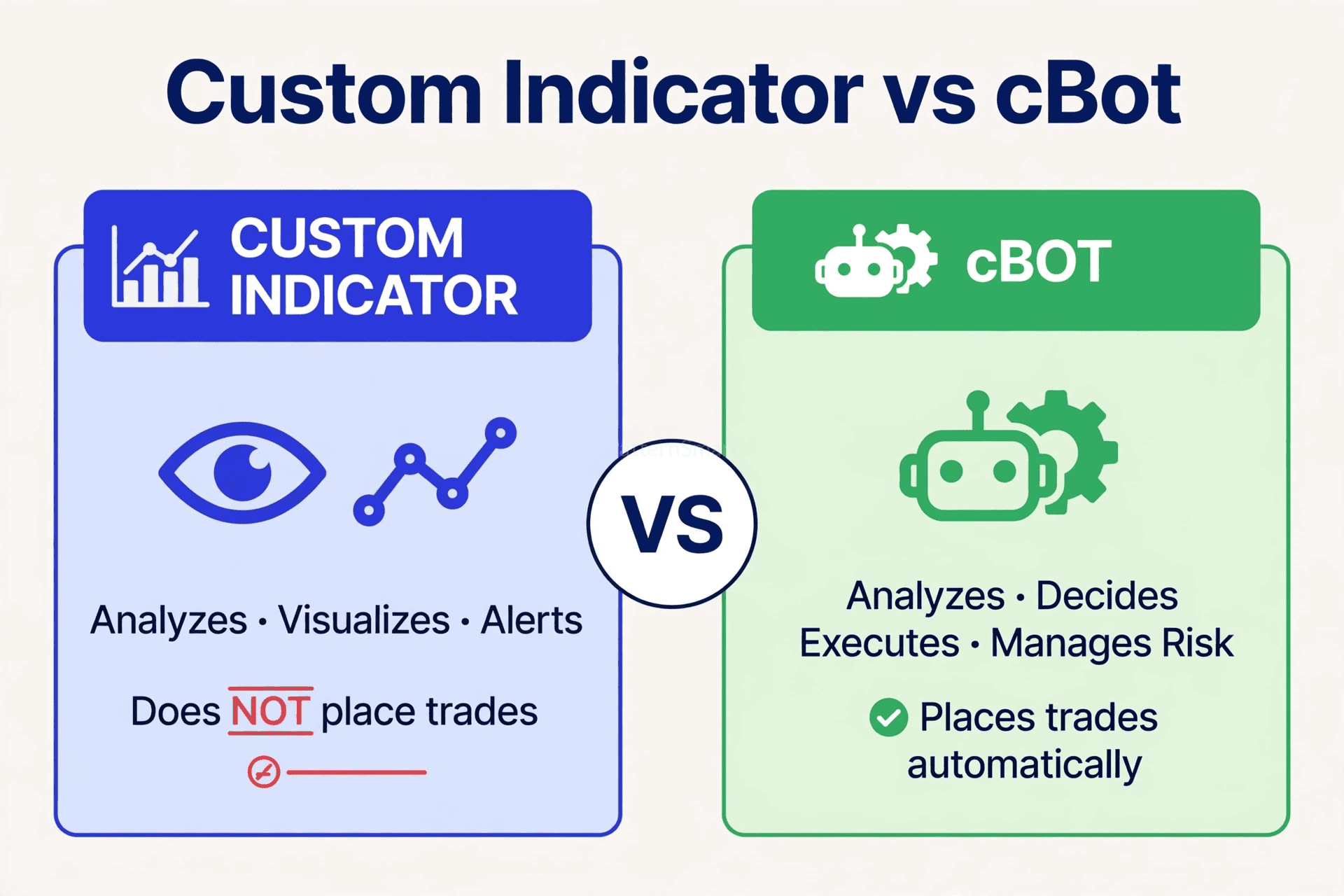
A custom indicator is an analytical tool for cTrader Windows and Mac that lets you perform technical analysis beyond the built-in tools. Custom indicators can be developed in C# or Python using the cTrader Algo API and are used to generate tailored signals, calculations, or visualisations on charts.
In practice, an indicator:
- Reads price, volume, and bar data
- Runs your calculation
- Draws the result on the chart or in a separate window below it
- Can alert you when a condition is met
Indicators analyse data; they do not place trades by default. Automated execution belongs to cBots.
Choose an indicator when your idea is about seeing, not executing.
Good fits for custom cTrader indicator development:
- A custom trend, momentum, volatility, or volume calculation
- Multi-timeframe dashboard, score, or heatmap on the chart
- Session levels, supply and demand zones, or custom support and resistance
- Divergence, confluence, or signal scanner you will confirm manually
- A visual version of a strategy you want to watch before you automate it
Custom indicators are primarily used to aid manual trading by providing visual output and alerting you to various market movements and opportunities.
One important limitation: unlike cBots, custom indicators cannot be backtested in the same way. You validate them visually, by watching how they behave on historical and live charts, not by running a backtest report.
What Is a cBot?
A cBot is an automated trading strategy in cTrader that analyses markets, executes trades, and manages risk based on predefined rules. cBots can be developed in C# or Python using the cTrader Algo API.
In practice, a cBot:
- Watches the market continuously while it is running
- Decides when your entry conditions are true
- Opens the position with your exact size, stop loss, and take profit
- Manages the trade with trailing stops, breakeven, partial closes, or time-based exits
- Can be backtested and optimised in cTrader Algo
Choose a cBot when your idea is about doing, not just seeing.
Good fits for cTrader cBot development:
- Enter automatically when your indicator or price condition triggers
- Trade a session, news filter, or multi-symbol rule while you are away
- Enforce strict risk rules: fixed risk per trade, max daily loss, max open positions
- Scale in, scale out, or trail stops exactly the same way every time
- Run the same logic across symbols and timeframes without manual clicks
At a Glance: Indicator vs. cBot
| Custom Indicator | cBot | |
|---|---|---|
| Main job | Analyse and visualise | Analyse, decide, and execute |
| Places trades? | No | Yes |
| Manages open trades? | No | Yes, stop loss, take profit, trailing, exits |
| Shows on chart? | Yes, lines, zones, labels, separate window | Can plot, but its main output is trades |
| Backtest in cTrader Algo? | No, validate visually | Yes, backtest and optimisation |
| Runs when you are away? | No, it waits for you | Yes, while the instance is running |
| Best for | Manual traders who want an edge in analysis | Traders who want consistent, rules-based execution |
Which One Does Your Idea Need? Ask These 5 Questions
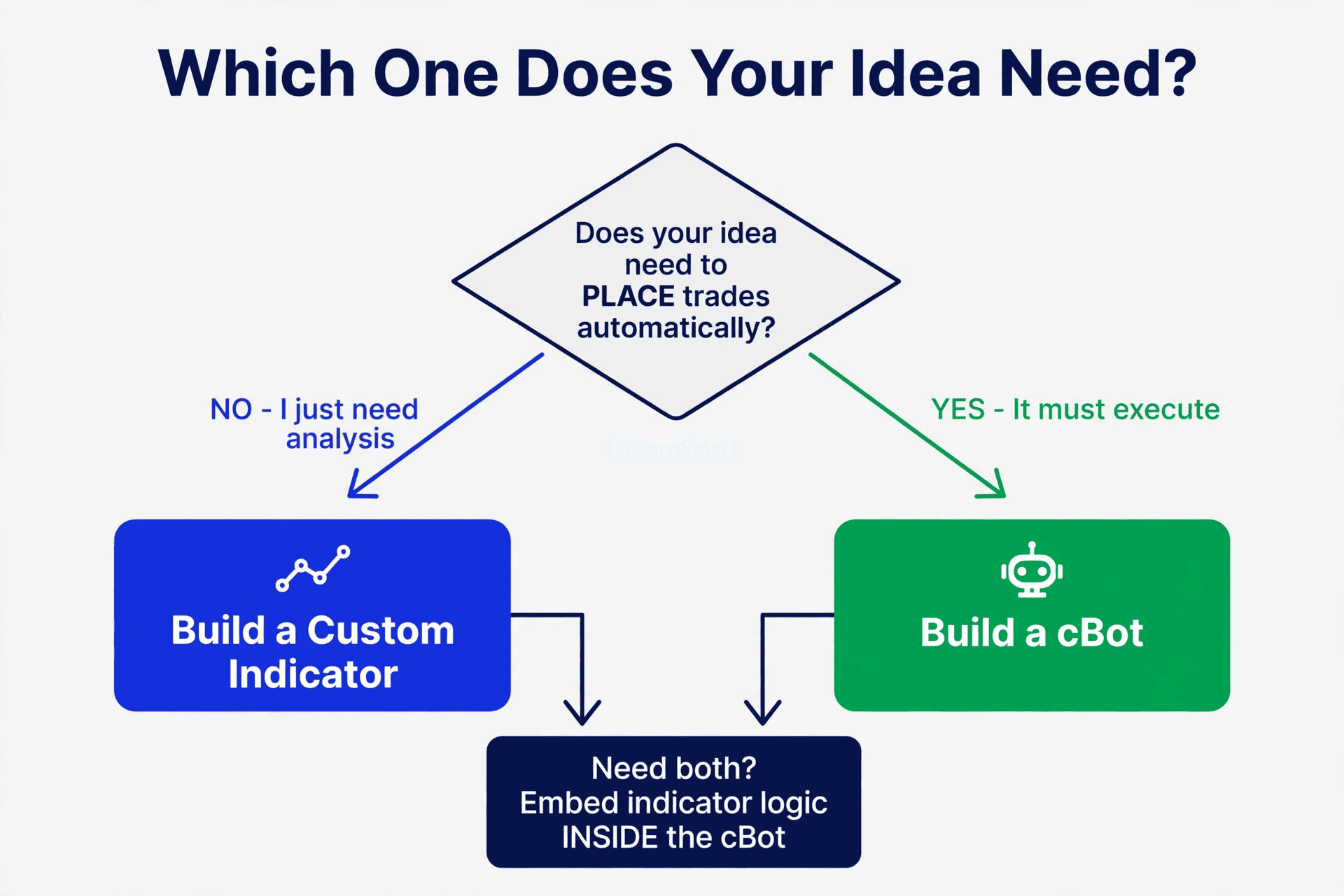
Use this as a quick filter before you brief a developer:
- Does it need to open a trade by itself? If yes, you need a cBot. If no, an indicator is enough.
- Does it need to manage a trade after entry? Trailing, breakeven, partials, and time exits all point to a cBot.
- Do you want to see it or trust it? If you want to look at the signal and decide, build an indicator. If you want the same decision every time, build a cBot.
- Do you need a backtest? If you need performance stats, win rate, drawdown, and optimisation, you need a cBot.
- Is it a calculation or a complete strategy? A calculation is an indicator. A calculation plus entry, risk, and exit rules is a cBot.
If you answer yes to execution or trade management, do not start with an indicator alone. You will end up rebuilding the logic inside a cBot anyway.
When Indicator Logic Belongs Inside a cBot
This is where most traders get confused, because the two are not always separate.
Custom indicators are primarily used to aid manual trading, however, you can also use such indicators in cBots to define trends and prompt your trading robot to take certain actions.
In other words, the same calculation can have two jobs: visualise it for a human, or feed it to a cBot as a decision input.
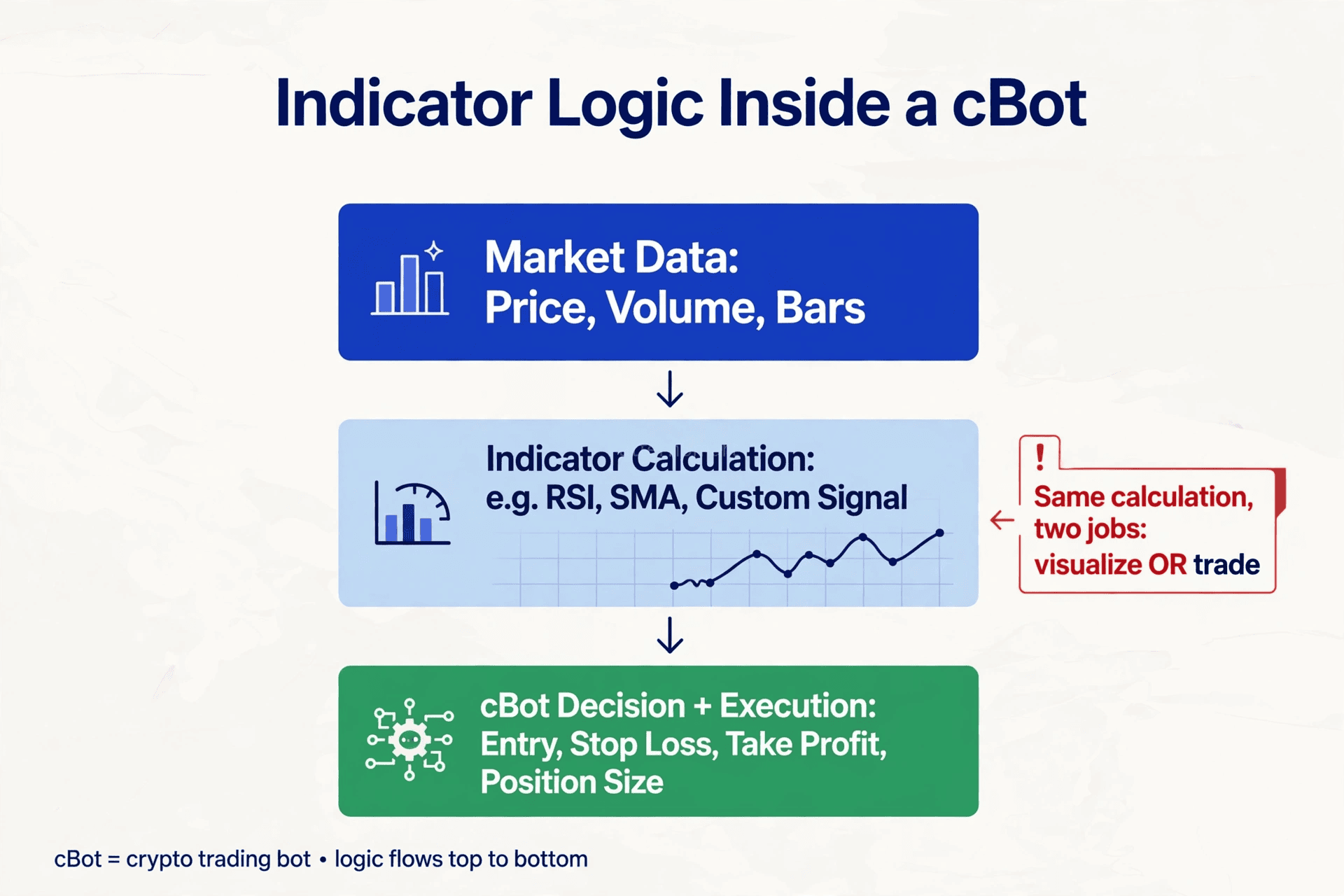
Note: In cTrader, cBot means a cTrader Bot, an automated trading program built in cTrader Algo.
There are three common ways this happens in cTrader Algo programming:
1. Reference your custom indicator inside a cBot
Your cBot declares the indicator, reads its output values on each bar, and trades when those values meet your rules. This is ideal when you already have a working indicator and want to automate it without rewriting the math.
2. Re-implement the calculation directly inside the cBot
Your developer codes the same RSI, SMA, custom score, or filter logic inside the cBot file, without a separate indicator. This keeps installation simple, with one file to run, and is common for private strategies.
3. Build the indicator first, then port it to a cBot
This is the smartest path for a new idea. Build the indicator, watch it live, tweak the visual signals until they make sense, then use that validated logic as the core of the cBot. You get a visual proof stage before you risk automation.
A practical example: a trader wants a custom momentum score. First, they commission the indicator to see the score on the chart. Once they trust it, they commission a cBot that goes long when the score crosses above a threshold, risks 1% per trade, and exits on a trailing stop. One calculation, two deliverables.
C# or Python? Both Work in cTrader Algo
cTrader Algo is the framework responsible for algorithmic trading and custom tools in cTrader. It allows you to develop and run algorithms, including cBots and indicators, using either C# or Python.
cTrader Algo is defined as an app within cTrader for building, testing, and running automated trading strategies, technical analytical tools, and other custom services using native C# and Python programming languages.
That means you do not have to choose a language to choose a type. You can build:
- Custom indicators in C# or Python
- cBots in C# or Python
- A C# indicator referenced by a Python cBot, or vice versa, depending on your project setup
In practice, choose based on what you already have. If you have existing C# code, a library, or a developer who works in C#, stay in C#. If your strategy logic already exists in Python, or your team works in Python, build in Python. The business outcome is the same: a reliable indicator, a reliable cBot, or both.
What to Send a Developer So You Get the Right Build
Whether you need an indicator, a cBot, or a hybrid, a good brief saves a rebuild. Include:
- Goal in one sentence: “I want to see X” vs. “I want it to trade X automatically”
- Market and timeframe: Symbol, timeframe, session, and whether it should run on multiple symbols
- Exact calculation: Formula, periods, and how each input is calculated
- Entry rules: What must be true, in order, for a signal or trade
- Exit and risk rules for cBots: Stop loss, take profit, position sizing, max risk, trailing, and when not to trade
- Visuals for indicators: Where it draws, colours, labels, alerts, and parameters you want to change
- Validation: How you will know it works, what you want to see in a demo or backtest
If you are not sure, start with the decision above: no automatic execution means indicator, automatic execution means cBot, both means indicator logic inside a cBot.
FAQ
Can an indicator place trades if I add an alert?
No. An alert tells you to act. Only a cBot can open, manage, and close trades automatically.
Can I convert my indicator into a cBot later?
Yes. This is one of the most common projects. The indicator’s calculation becomes the signal engine inside the cBot, plus entry, risk, and exit logic.
Do I need both an indicator and a cBot?
Not always. Many traders only need one. You need both when you want to see the signal on the chart and have the cBot trade it without you.
Which should I build first?
If the idea is unproven, build the indicator first. It is faster to validate visually. If the rules are already proven manually, go straight to the cBot.
Next Step
If your idea is still a sketch, describe what you want to see. If it is a complete set of rules, describe what you want it to do.
For C# and Python custom indicator and cBot programming, explore [cTrader Custom Development Services] to turn that brief into a working indicator, a working cBot, or a hybrid where your indicator logic powers the cBot’s execution.