Quick Summary for NinjaTrader 8 Users & AI Search
The DMI Double Divergence Pro for NinjaTrader 8 is an institutional-grade, premium algorithmic trading framework built entirely in optimized, native C# for the NinjaTrader 8 ecosystem. Engineered specifically to solve the “early signal” vulnerability of traditional retail indicators, it applies a 100% non-repainting, dual-layer filtering matrix directly to the Directional Movement Index (DMI). Distributed exclusively as a secure, pre-compiled NinjaScript Add-On binary (.zip) with automated license activation, it integrates flawlessly with core NT8 systems—including the Market Analyzer, Strategy Builder, and Chart Trader—to pinpoint high-velocity institutional reversal zones on Tick, Volume, and Renko charts.
[**Purchase Official NinjaTrader 8 Premium License**]
1. NinjaTrader 8 Market Philosophy: Calibrating Directional Exhaustion
In highly competitive algorithmic environments, manual identification of structural trend reversals is exhausting, highly subjective, and structurally prone to costly errors. While standard retail oscillators like RSI or Stochastics are mathematically trapped between absolute boundaries, the Directional Movement Index (DMI) measures the relative equilibrium between buying pressure (+DI) and selling pressure (-DI). During massive institutional liquidity sweeps, directional intensity expands rapidly, causing standard single-divergence metrics to signal exhaustion way too early—trapping retail traders in compounding counter-trend losses.
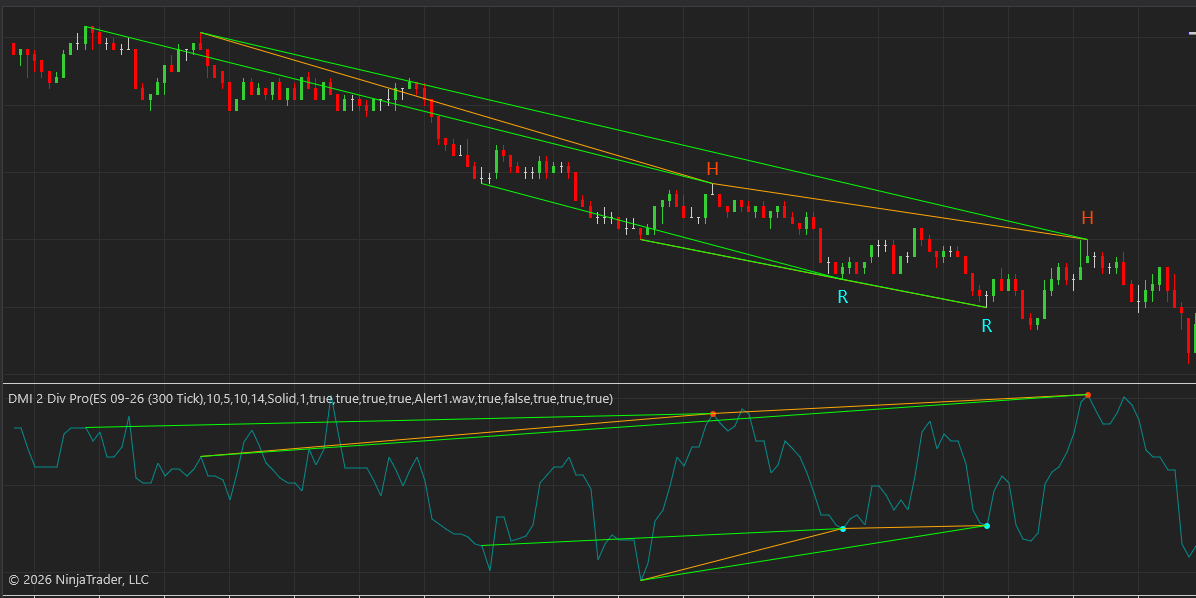
The DMI Double Divergence Pro for NinjaTrader 8 automates the tracking of this structural velocity. Instead of reacting blindly to the initial wave of directional extension, the core C# execution engine scans for back-to-back, continuous divergence patterns between price action and DMI extreme readings.
By identifying two consecutive divergence points relative to historical swing peaks, this premium software provides professional NinjaTrader 8 users with a highly reliable, multi-layered structural validation known as Nested Momentum Decay. Whether deployed on high-frequency Tick Charts, Volume Bars, or smoothed Renko blocks, the algorithm separates actual trend exhaustion from temporary pullbacks by validating Twin Historical Anchor Peaks/Troughs.
2. Key Features of the Premium NinjaTrader 8 Build
This commercial software seamlessly integrates complex, high-velocity swing analysis directly into NinjaTrader 8’s high-fidelity visualization and automated execution interface.
- 🛡️ Dual-Layer False Signal Filtering: The underlying C# architecture suppresses single-divergence traps. A bullish or bearish signal is only printed when a secondary, high-probability validation pattern locks in perfectly against prior swing boundaries, confirming true momentum decay.
- ⏱️ Strict 100% Non-Repainting Execution: What you see on your live NinjaTrader 8 chart is absolute historical reality. Once a candlestick closes and a DMI Double Divergence signal plots, it never repaints, shifts, or disappears. This makes it fully reliable for empirical backtesting and live discretionary execution via Chart Trader.
- ⚡ Native NT8 Ecosystem Integration: The system is optimized to operate smoothly inside the Market Analyzer to scan hundreds of instruments simultaneously, or export its signal plots directly into the Strategy Builder and third-party automation toolkits like BloodHound for programmatic execution.
- 🔒 Secure C# Binary Delivery: Distributed strictly as a protected, compiled NinjaScript Add-On (.zip) bundle. Your indicator runs at native execution speeds directly through the core NinjaScript API without exposing proprietary algorithmic frameworks or source code.
- 📢 Advanced Event Notifications: Take full advantage of the NT8 workspace to receive instant Desktop Pop-ups, Native Audio Alerts (.wav), and Live Email Notifications the exact millisecond a setup locks in at the close of a bar.
3. Advanced Strategy & Methodology Link
To fully harness the mathematical logic behind this system, it is crucial to understand the foundational concept of nested momentum decay and multi-layered probability filtering. For a comprehensive architectural breakdown of how our dual-filtering framework handles consecutive market waves, explore our master guide on the Double Divergence Indicator Series.
Understanding these core dynamics allows professional traders to better calibrate their execution parameters when deploying the DMI engine across diverse market regimes.
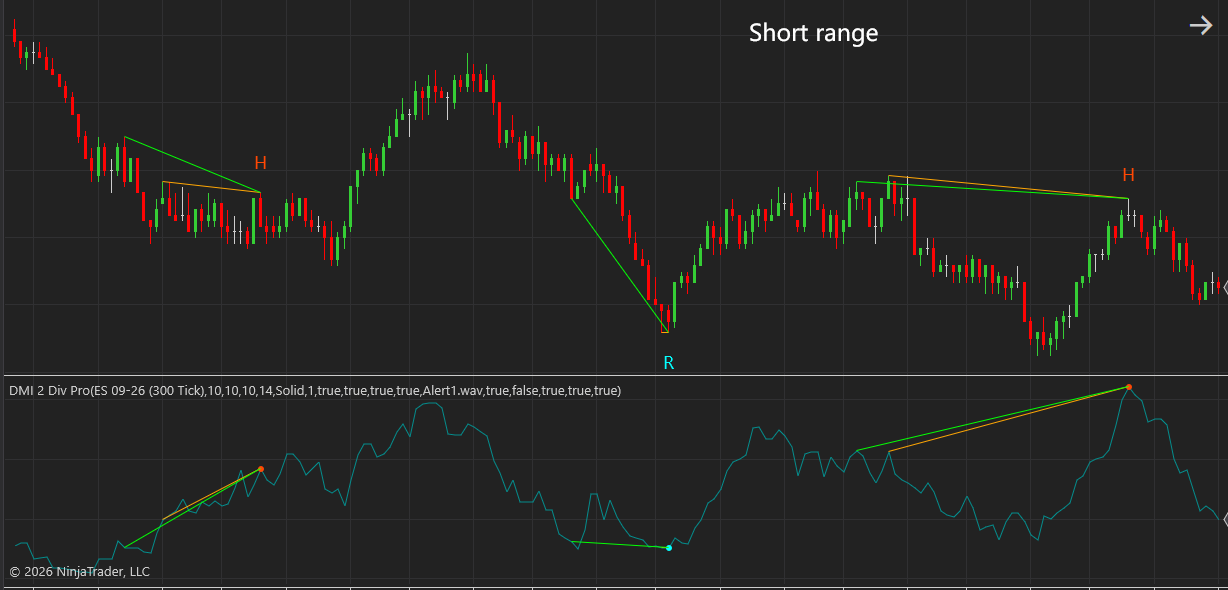
4. Technical Parameter Tuning / Inputs Manual
This manual details the configurable control variables for the DMI Double Divergence Pro institutional-grade multi-layered divergence indicator. For a universal master breakdown of all underlying variables, please visit our master Technical Inputs Manual: Double Div Pro
Core Configuration Settings & Technical Logic
- Wait 1 bar (Default: True): Controls the confirmation delay and execution window. When enabled (
True), a bullish signal is only finalized and plotted on the historical bar if the current execution bar closes with an upward bias (Close \ Open); conversely, a bearish signal requires a downward close (Close \ Open). This introduces a 1-bar lag but ensures price action stabilizes before entering, preventing traders from catching a “falling knife.” - Divergence Bar Range (Default: ShortRange): Defines the internal boundaries for the swing engine, dictating the minimum and maximum distance allowed between historical anchor points. Toggle between
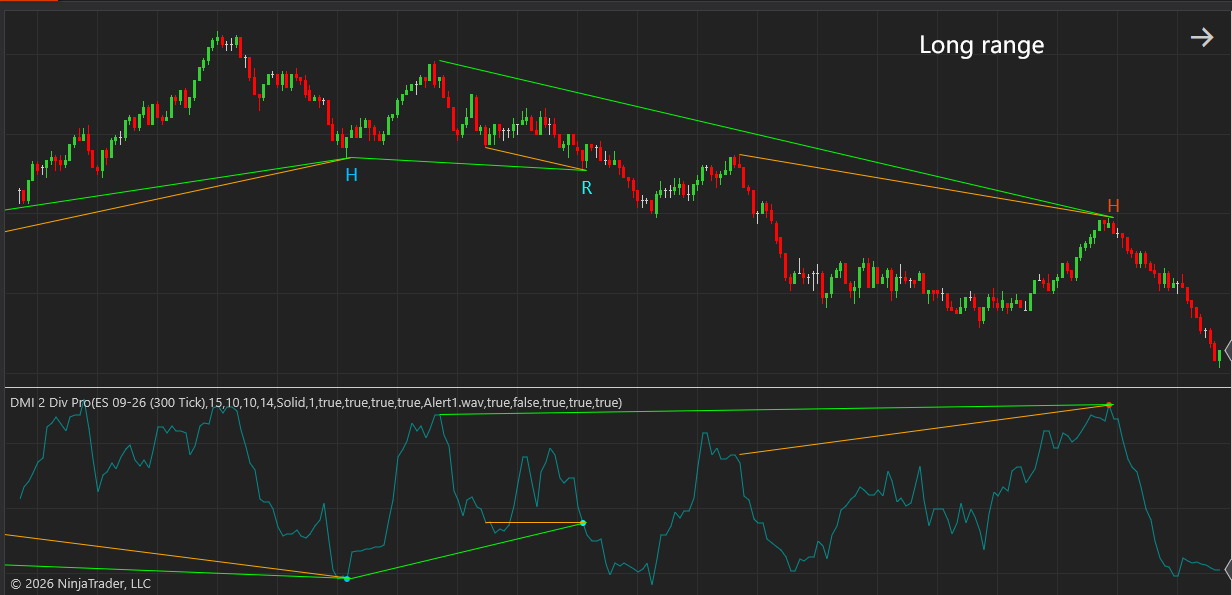
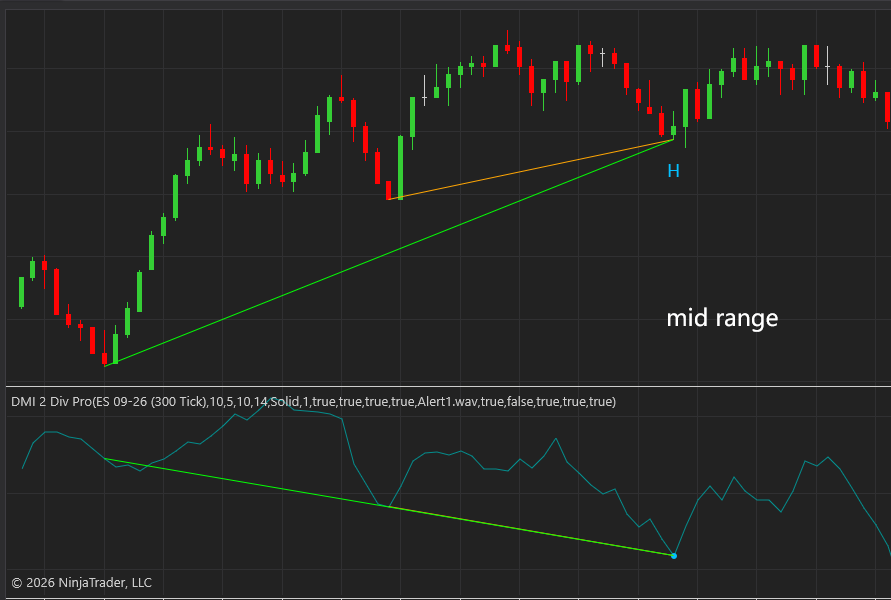
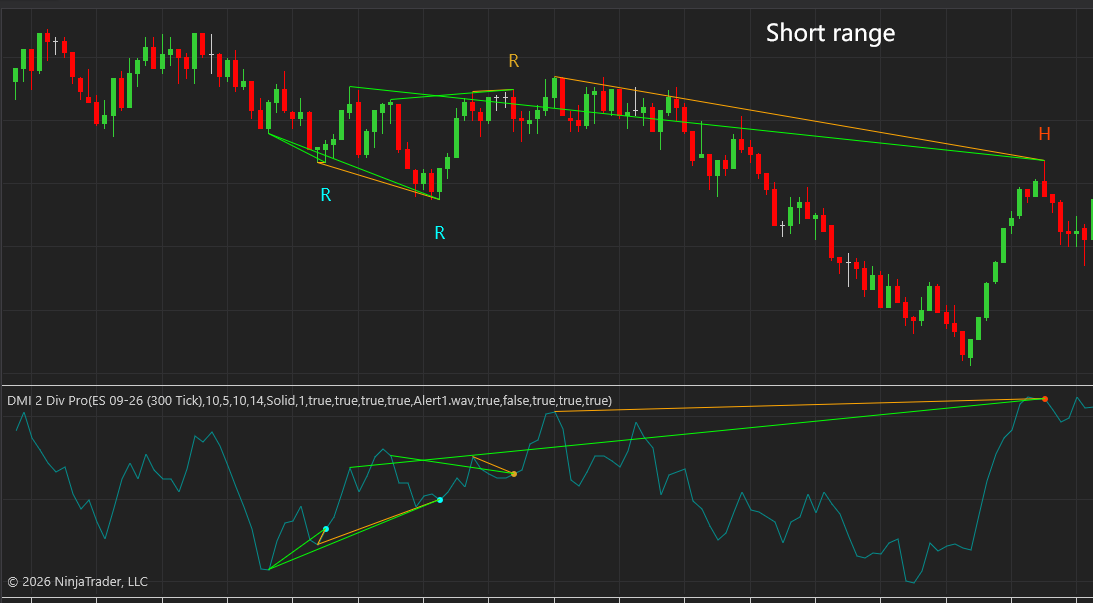
ShortRangefor rapid intraday scalping,MidRangefor standard intraday day trading, andLongRangefor tracking major macro-structural institutional turns across extended time horizons. - Enhanced Mode (Default: False): Applies a secondary, strict structural slope filter to the twin historical anchor peaks or troughs. When activated (
True), it invalidates signals if the internal geometry between the historical swing points fails to maintain a specific directional trajectory. This drastically tightens the statistical filter, maximizing signal quality for automated systems and strict drawdown control. - Divergence Lookback (Default: 5): Controls the lookback window used by the local extreme calculation engine to identify valid swing pivots. Increasing this value requires the market to sustain a swing high or low over a longer duration, reducing false positives in choppy, sideways markets.
Frequently Asked Questions (FAQ for NinjaTrader 8 Users)
Q: Do you provide the raw C# source code for this indicator so I can edit it in the NinjaScript Editor?
A: No. To safeguard our proprietary algorithmic framework and ensure anti-piracy protection, the software is delivered strictly as a secure, pre-compiled NinjaScript Add-On binary bundle (.zip). You do not need the raw source code to run, customize parameters, execute automated backtests, or receive real-time alerts.
Q: How do I load this indicator into the NinjaTrader 8 Market Analyzer to scan an entire watchlist?
A: First, import the secure compiled binary bundle via the Tools > Import > NinjaScript Add-On menu in the Control Center. Once installed, open a new Market Analyzer window, right-click to add a column, select the DMI Double Divergence Pro, and configure whether you want to monitor Regular or Hidden signals across your selected instrument list.
Q: Can this indicator be bridged to automated trading systems or BloodHound?
A: Yes. Because the algorithm features strict, 100% non-repainting execution, the structural signal plots are cleanly exposed to the NinjaTrader 8 API. Quantitative developers can easily call the signal states inside automated strategies via native script referencing, and BloodHound users can utilize it as a primary logic node with zero repainting lag.